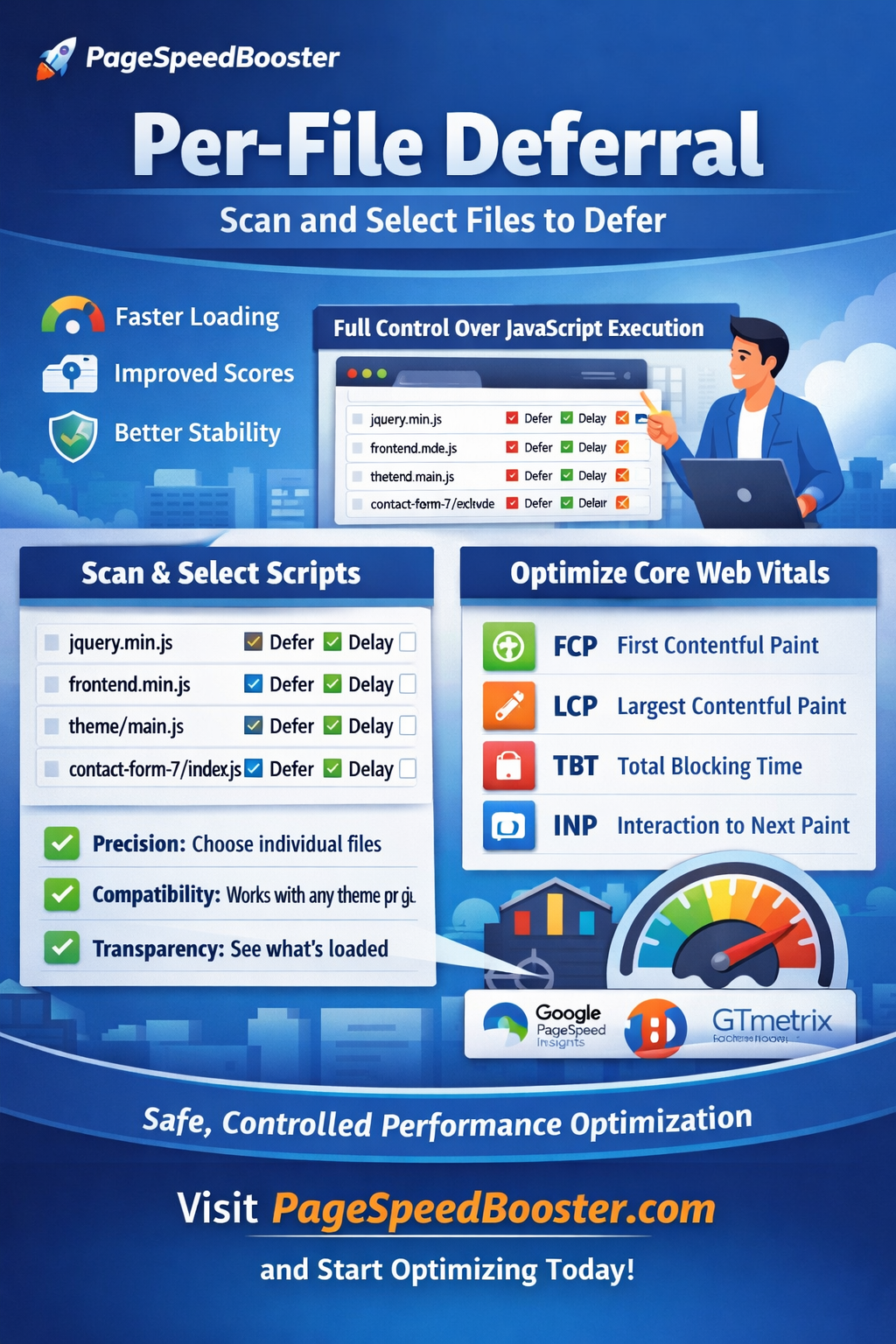
Per-File Deferral: The Smart Way to Speed Up Your WordPress Website
Website speed has become one of the most important factors for search engine rankings, user experience, and conversion rates. Tools like Google PageSpeed Insights, Lighthouse, and Core Web Vitals constantly remind website owners that JavaScript execution can significantly slow down page loading.
One of the most effective techniques to improve performance is JavaScript deferral. However, blindly deferring all scripts often breaks websites. This is where Per-File Deferral, a feature of PageSpeedBooster, becomes a powerful solution.
Instead of applying a global rule, PageSpeedBooster intelligently scans your site and allows you to defer scripts individually, giving you full control over performance optimization.
This approach dramatically improves loading speed while keeping your website stable.
Why JavaScript Blocks Your Website
Modern websites rely heavily on JavaScript. Themes, plugins, tracking tools, sliders, analytics, chat widgets, and UI frameworks all load scripts that the browser must process before rendering the page.
By default, JavaScript files are render-blocking. This means the browser must download and execute them before it can display the page to users.
The consequences include:
- Slow First Contentful Paint (FCP)
- Poor Largest Contentful Paint (LCP)
- Lower PageSpeed scores
- Delayed user interaction
Even a few unnecessary scripts can delay page rendering by hundreds of milliseconds or more.
What Is JavaScript Deferral?
Deferring JavaScript tells the browser:
“Load this script, but wait to execute it until the HTML has been parsed.”
Using the defer attribute allows the browser to display the page faster while scripts load in the background.
Example:
<script src="script.js" defer></script>
This simple change can dramatically improve loading speed and PageSpeed scores.
However, there is a problem.
Not all scripts should be deferred.
Some scripts must run immediately to initialize important features. If deferred incorrectly, they may break menus, sliders, forms, or analytics.
The Problem With Traditional Optimization Plugins
Most performance plugins use global deferral rules, such as:
- Defer all JavaScript
- Delay JavaScript execution
- Combine scripts automatically
While these methods can improve performance, they often introduce problems:
- Broken sliders
- Non-working navigation
- JavaScript errors
- Plugin conflicts
- Unpredictable behavior
Developers frequently end up manually excluding scripts through trial and error.
This process is time-consuming and frustrating.
PageSpeedBooster’s Solution: Per-File Deferral
PageSpeedBooster introduces a smarter method called Per-File Deferral.
Instead of applying a single rule to all scripts, the plugin:
- Scans your website automatically
- Detects all JavaScript files being loaded
- Displays them in a clear interface
- Allows you to choose exactly which scripts should be deferred
This gives you surgical precision over performance optimization.
How Per-File Deferral Works
When PageSpeedBooster scans your site, it analyzes all JavaScript resources loaded on the page.
You will see a list similar to:
/wp-includes/js/jquery/jquery.min.js
/wp-content/plugins/elementor/assets/js/frontend.min.js
/wp-content/themes/theme/js/main.js
/wp-content/plugins/contact-form-7/includes/js/index.js
For each file, you can choose whether to:
- Leave it untouched
- Apply
defer - Delay execution
- Exclude it entirely
This allows you to test performance improvements without breaking your site.
A Developer-Friendly Optimization Method
Per-File Deferral is especially useful for developers and advanced users who want more control than traditional “one-click” optimization tools.
Benefits include:
Precision
You decide exactly which files are deferred.
Stability
Critical scripts remain untouched.
Transparency
You see exactly which scripts are loaded.
Compatibility
Works with any WordPress theme or plugin.
This approach removes the guesswork from performance optimization.
Improve Core Web Vitals Easily
Core Web Vitals are now a ranking factor in Google search results.
Poor script loading often affects:
- First Contentful Paint (FCP)
- Largest Contentful Paint (LCP)
- Total Blocking Time (TBT)
- Interaction to Next Paint (INP)
By deferring non-critical scripts, PageSpeedBooster helps your website achieve better scores in tools such as:
- Google PageSpeed Insights
- Lighthouse
- GTmetrix
- WebPageTest
Many websites see significant improvements after simply deferring unnecessary JavaScript files.
Ideal for Complex WordPress Websites
Modern WordPress sites often run dozens of plugins:
- Page builders (Elementor, Divi, WPBakery)
- WooCommerce
- Analytics tools
- Chat widgets
- Marketing scripts
- Tracking pixels
Each plugin may load multiple JavaScript files.
Per-File Deferral makes it possible to optimize these scripts safely, even on complex websites.
Faster Pages Without Breaking Your Site
The biggest advantage of PageSpeedBooster’s approach is safety.
Instead of aggressive automatic optimizations that may break functionality, Per-File Deferral allows controlled performance improvements.
You can:
- Scan your scripts
- Defer non-critical files
- Test performance
- Adjust settings if needed
This iterative method ensures your website remains stable while becoming significantly faster.
Built for Performance and Control
PageSpeedBooster was designed to give WordPress users a powerful yet flexible optimization toolkit.
Per-File Deferral is just one of the features that make it stand out.
By combining automatic scanning with manual control, the plugin bridges the gap between ease of use and professional optimization.
Start Optimizing Your WordPress Site Today
If you want better PageSpeed scores, faster loading times, and improved user experience, Per-File Deferral in PageSpeedBooster is a game-changing feature.
Instead of blindly deferring scripts and risking site breakage, you gain complete control over JavaScript execution.
Your website becomes faster, your visitors stay longer, and search engines reward your improved performance.
Visit pagespeedbooster.com to discover how PageSpeedBooster can transform your WordPress performance with intelligent optimization tools like Per-File Deferral.